How Binance Fees Work: Spot Rates and How to Pay Less
A lot of people watch only the coin price when they buy, then notice a fee got skimmed off at checkout and wonder where it came from. A single fee really isn't much, but once you trade often, or your stake is sizable, that small change adds up to real money. This guide separates out the different Binance fees, spot trading fees, C2C, and withdrawal fees, and explains each one clearly, then shows you two concrete ways to bring them down. Bottom line first: the exact numbers change because the platform changes them. What I'm teaching you is how the math works, where to look, and how to save, so you can check it yourself, which is always the most reliable approach.
01Spot fees: how maker and taker work
Start with the one most people use: spot trading. Binance charges a percentage of the trade value as the fee, and that percentage splits by role: maker (the one resting an order) and taker (the one filling an order).
Think of it simply: if you place a limit order and leave it sitting for someone to fill, you're the maker, adding liquidity to the market; if you buy at market and immediately fill someone else's resting order, you're the taker. Many platforms set the maker fee a touch lower to encourage people to post orders.
The base spot rate for an ordinary beginner is usually around one tenth of a percent (about 0.1%), with maker and taker possibly a little higher or lower. That means buying $1,000 of a coin costs roughly a dollar in fees. Users who reach higher tiers, trade more volume, or hold more BNB can get even lower rates.
Here's a point beginners often miss: the fee is charged once when you buy and again when you sell. You pay it on the $1,000 you spend buying, and later you pay it again on the amount when you sell. So to gauge the true cost of a trade, count both the entry and the exit. For someone who buys and holds long-term, this cost is almost negligible; but for someone who likes to jump in and out constantly, fees creep up like the frog in slowly heating water, eating into your returns one trade at a time. That's why a lot of veterans tell beginners to stop fiddling: frequent trading alone runs up a meaningful bill in fees.
0.1% is just the common ballpark, not a fixed figure. Binance's fee structure shifts with your user tier, whether you've enabled the BNB discount, and platform policy. To see your account's real rate, check the Binance fee schedule page and trust what it shows right now. Don't treat someone's screenshot from years ago as the standard.
To quickly estimate what a given trade will cost, you don't need to punch a calculator. Use the on-site fee calculator: enter the amount and the rate and it gives you the number, and while you're there you can compare the difference with and without the BNB discount.
02Paying with BNB gets you a discount
Binance has a money-saving switch that's genuinely useful for beginners: paying fees with BNB. Once you turn this on in account settings, the fees from your trades get settled out of your BNB balance first, and settling in BNB usually earns a discount, so it works out cheaper than paying in another coin.
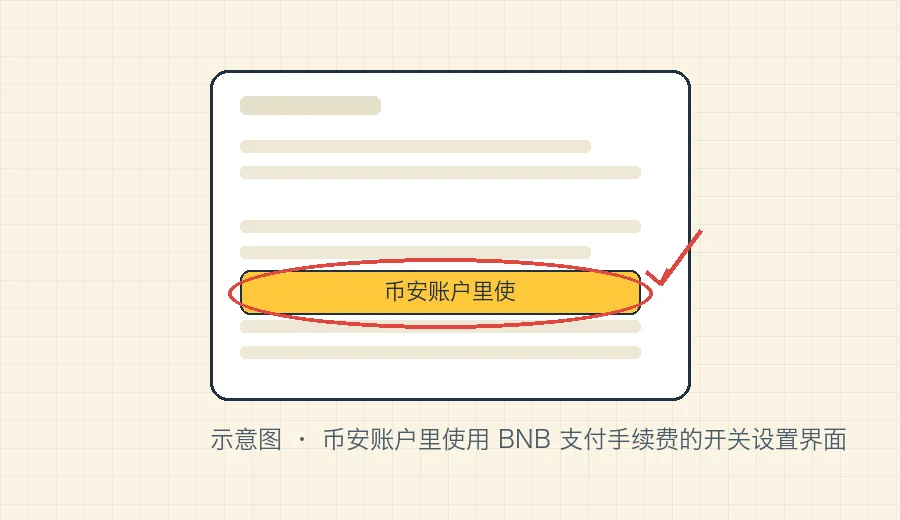
Two conditions for this trick: one, you need to keep a little BNB in your balance so the system has something to deduct from; two, the discount rate follows Binance's current rules, and the platform has adjusted it in the past and may again, so don't lock a specific figure into your head. For anyone who trades even moderately, this discount adds up to a meaningful saving over time, so it's worth flipping on.
If you only buy a little now and then and just sit on it, the BNB discount doesn't matter much; but if you'll be trading back and forth, keeping a bit of BNB on hand and turning the discount on saves real money over time, and it's a tiny thing to set up. BNB is itself a volatile asset, so how much to keep is up to you: enough to cover fees for a while is plenty, no need to stockpile a pile just for the discount.
03C2C buys and withdrawal fees are separate
Beginners tend to lump all costs into one pot, but Binance charges different scenarios separately, and getting that straight saves you from feeling cheated.
C2C (buying crypto with fiat) usually carries no separate platform fee. When you buy USDT from a merchant via C2C using your local currency, the platform generally doesn't charge the buyer a separate fee; the price you see is what you agreed with the merchant. Of course, the merchant's unit price may already bake in a little margin for themselves, but that's a different thing from an "exchange fee." So don't assume C2C is completely free just because it "charges no fee." What really decides whether you got a good deal is the unit price different merchants offer. Compare a few, pick one with a fair price and good reputation, and that matters far more than fretting over a sliver of fee. For how to buy safely on C2C, see how to buy USDT with your local currency.
Withdrawal fees are charged per chain and have nothing to do with trading fees. When you move coins from Binance to an external address, you pay a withdrawal fee that covers the cost of the on-chain transfer, so which chain you use changes the cost a lot: sending USDT over TRC20 is usually very cheap, while ERC20 (Ethereum) can be far pricier when the network is congested. For the same USDT, picking a different chain can mean several times the fee. So choosing the right chain before you withdraw affects both speed and how much you pay. For how to choose, see how to pick TRC20/ERC20/BEP20.
Withdrawal fees have another trait worth noting: they're a fixed amount, regardless of how much you withdraw. Withdrawing 50 USDT or 500 USDT on the same chain often costs the same fee. So withdrawing small amounts frequently is especially uneconomical, you might withdraw $50 and have the fee eat a big chunk of it. If you're moving coins from an exchange to your own wallet, try to build up to a decent amount and withdraw once, rather than dribbling it out bit by bit; what you save is real money. The current withdrawal fee for each coin and chain shows directly on the page once you click withdraw and choose a network, so go by that.
Don't pick the cheapest chain just to save on the withdrawal fee without confirming the receiving side supports it. Choose the wrong chain and the coins may not arrive properly, a loss far bigger than any fee. The premise of saving money is always "getting it right": make sure it's correct first, then talk about saving.
04Two ways to save: BNB discount + referral reduction
Wrapping up the money-saving angle, the two most practical moves for a beginner are these, and they work together.
First, enable the BNB discount. As covered above, it acts on the settlement side: pay your fees in BNB and get a discount. Keep a little BNB in the account, flip the switch, done.
Second, register with a referral code for a fee reduction. An account created through a referral code can get a portion of its trading fees reduced or returned, acting on your side, meaning some of the fees you pay come back to you. The key is that the referral code has to go in at the moment you register; once the account is created it's locked, and you can't add it after the fact. So if you haven't registered yet, do not skip this step.
The two work by different mechanisms (one is a settlement discount, the other a fee reduction), so they can usually be enjoyed together, only upside for you, never extra cost. To be clear about how it works: using a referral code never makes your fees higher than anyone else's; it only brings a reduction. The BNB discount is also a discount. Turn both on and the savings over a long stretch of trading aren't trivial.
Referral code BNB8816
The current standard for each Binance fee, the exact BNB discount, and withdrawal fee rates all follow what's shown on the official Binance fee page and Help Center right now. To understand the concepts behind maker/taker, you can also read Investopedia's explanation of maker/taker fees. To work out a specific amount, remember to use the fee calculator.
FAQFAQ
Roughly how much is a Binance spot fee?
Binance charges spot fees on a maker/taker basis. For ordinary users the base rate is usually around one tenth of a percent (about 0.1%), and resting orders (maker) versus filling orders (taker) may differ slightly. Higher-tier, high-volume users pay less. That's just the common ballpark; the rate that actually applies is the one shown for your account on the Binance fee page right now, and the platform does adjust it.
How much does paying fees with BNB save?
Once you turn on paying fees with BNB in your account, spot trading fees usually get a discount, so settling in BNB works out cheaper than settling in other coins. The exact discount follows Binance's current rules and can change over time. The catch is that you need enough BNB in your balance for it to deduct from.
Does using a referral code clash with the BNB discount, or do they stack?
They don't clash. A referral code gives you a fee reduction: a portion of the fees you pay on your trades is returned to you, acting on your side. The BNB discount is a discount on how fees are settled. The two work differently and can usually be enjoyed together. Just remember the referral code has to be entered at the moment you register; you can't add it after the account is created, so new users should fill it in at sign-up.