How to Buy USDT with Local Currency: P2P Fiat Trading Step by Step
Registration and verification are done, but your account has zero in it — you want to buy crypto and find you can't just swipe a card. Almost every beginner gets stuck here. The answer is P2P: you buy USDT from another user with your local currency (via bank transfer or a local payment app), and the platform escrows in the middle. I was nervous my first time too, worried I'd send the money and the coins wouldn't arrive. In fact, as long as you go through the platform flow and play by the rules, this is very steady. Below I break down each step.
01How the P2P flow actually works
P2P stands for peer-to-peer (also called C2C, or fiat trading). It means the platform doesn't sell coins to you directly; it matches you with another ordinary user (a seller): you put up local currency, they put up USDT, and the platform freezes the USDT in escrow in the middle.
The whole process in one line: you order → the platform freezes the seller's USDT → you transfer local currency to the seller → you tap "I have paid" → the seller confirms receipt and the platform releases the coins to you. Because the USDT is held in escrow throughout, there's no "you sent the money and the seller ran off with the coins" — as long as you genuinely paid by the rules, the platform guarantees the release.
Decide how much you want to buy before you start. USDT's price roughly tracks 1 USD, and merchant quotes convert it into your local currency (say 1 USDT ≈ a little over 1 USD). If you want to spend a given amount, you'll get roughly that amount divided by the unit price in USDT. The exact figure follows the quote at the moment you order, and it floats slightly. For why USDT can track the dollar and who issues it, see Investopedia's explainer on Tether (USDT).
02Before ordering: choosing a payment method
Common P2P payment methods include bank transfer and various local payment apps. Which is better? My take:
- Bank transfer: a clear, complete trail. If a review ever comes up, a bank statement is the best way to account for yourself — "I was buying crypto normally, not involved in anything suspicious." This is exactly why many experienced users prefer bank transfers.
- Local payment apps: convenient, fast, and familiar. The downside is that some worry about account risk controls.
At bottom, all of them work; the key isn't which one, but how you use it: it must be an account in your own name, sent to the receiving party shown on the page, with the amount matching and no note added. Do those and any method is fine.
When you transfer, leave the note field blank and don't type anything into it yourself, and send exactly the order amount, down to the last cent. If the note or the amount doesn't match the order, it can easily spark a trade dispute, or even end up in an order appeal. Also, don't agree to any request to "help receive or pay on someone's behalf" or "transfer to a different account" — that's often where problems begin.
Referral code BNB8816
03Step by step: from picking a merchant to release
Here's the full flow — for a first attempt, follow along:
- Enter P2P: open the Binance app, find "P2P Trading" (may be called "Fiat" or "C2C"), choose "Buy," and pick USDT as the coin.
- Set filters: choose your payment method, optionally enter the amount you want to buy, and the system lists a row of matching merchants and quotes.
- Pick a merchant: look for many completed orders, a high completion rate (say 95%+), a verification badge, and matching limits. Don't just pick the lowest quote — one noticeably below the rest is reason for caution.
- Order: enter the quantity or amount, confirm the unit price, and submit. Now the seller's USDT is frozen by the platform, and the page shows the seller's receiving account and a payment countdown.
- Pay: using an account in your own name, transfer the local currency per the page's receiving details. After paying, you must return to the app and tap "I have paid," or the order may time out and cancel.
- Wait for release: the seller checks receipt and releases, and the USDT lands in your account. Normally done within a few minutes.
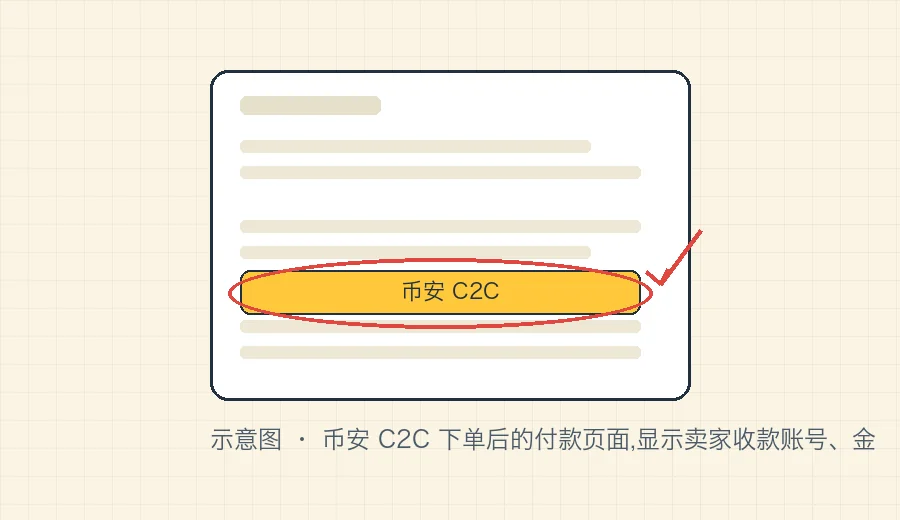
The payment page has a countdown (commonly around 15 minutes — follow what the page shows). Once you order, complete the transfer and tap confirm promptly. If you order and then change your mind, remember to cancel the order proactively rather than leave it hanging — frequently timing out without paying hurts your standing, and merchants will blacklist you.
04Common situations after paying
The seller is slow to release: first nudge politely in the order chat box, and confirm you genuinely paid per the page's details. In a proper escrow trade the USDT is already frozen by the platform, and a seller who's checked receipt releases — usually quickly. If it truly drags on, use the platform's appeal process; your payment screenshot and records are the evidence.
The amount received isn't what I expected: USDT's unit price floats slightly, and the final quantity you receive is calculated at the fill price at the moment you ordered — usually only a touch off the estimate, which is normal. If it's wildly off, first check whether you mixed up the "quantity" and "amount" fields — ordering by amount, you enter how much money to spend; by quantity, how many USDT to buy — and entering them in the wrong place changes the result a lot.
The seller asks you to pay a different way: if they ask in chat for you to transfer to "another account off-page," or route through some third party, refuse outright and cancel the order. In a proper trade, you should only transfer to the receiving party the system displays; any "use a different account" or "do me a favor" is a danger sign.
For your first buy, don't jump in with a big sum. Walk the whole flow with a small amount (say a couple hundred), confirm the USDT really arrived in your account and you're familiar with each step, then buy more as needed. That small cost buys you peace of mind — worth it.
Worried about safety: this is exactly the part worth expanding. P2P's main risk isn't "the coins won't arrive" (escrow handles that), it's "tainted funds and frozen accounts" — the USDT you receive, or the funds the other side sends, may be tied up in case-related money. I've written a dedicated piece on this, is P2P safe? how to avoid tainted funds and bank-flagging. Please read it fully before using P2P for the first time.
For the details of P2P rules, you can also check the current pages of the Binance official help center; to understand a stablecoin like USDT itself, read what is USDT, or see the official notes on Tether's official site.
Once USDT is in hand, the next step is using it to buy your first coin. For how to continue the whole flow, see the complete first-time buying guide.
FAQFrequently asked questions
Is buying USDT with local currency legal?
Holding a virtual asset like USDT is treated differently under the law from place to place, so you need to know the rules where you are. The practical risk of P2P trading is mainly this: your counterparty's funds could come from an illegal source, dragging your bank account into being flagged or frozen. To lower the risk, go through the platform's escrow, use an account in your own name, keep complete records, and provide them if reviewed. This site is not legal or investment advice.
Bank transfer or a local payment app — which is better for buying USDT?
Both work; it depends on what your chosen merchant supports. Many people prefer a bank transfer because the trail is clear and complete, which makes it easier to account for yourself if reviewed. Whichever you use, use an account in your own name, send to the receiving party shown on the page, add no note, and don't route through a third party paying on your behalf.
I paid, but the seller is slow to release — what now?
First nudge in the order chat box, and confirm you really did pay per the page's receiving details. In a proper escrow trade the USDT is already frozen by the platform, and a seller who's checked the payment usually releases within a few minutes. If it drags on, use the platform's appeal process — your payment proof is the evidence — so always keep your transfer screenshots and records.